
Download Article Reader AI – Transform Text to Audio, Free & Secure
Overview
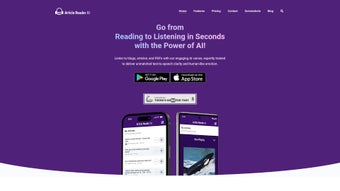
Article Reader AI is an innovative web‑based application that turns any written content into high‑quality audio narrations. Leveraging cutting‑edge artificial‑intelligence voices, the platform delivers clear, emotionally resonant speech that feels far more natural than traditional text‑to‑speech tools. Whether you’re a busy professional, a student juggling multiple assignments, or simply someone who enjoys consuming information on the go, Article Reader AI lets you convert blogs, news articles, PDFs, and e‑books into a personal audio library you can listen to anytime, anywhere.
The service supports a growing list of languages, making it a truly global solution for content consumption. In addition to the core conversion engine, the app includes a playlist feature for grouping favorite articles, a bookmarking system for quick return points, and a cloud‑based storage vault so you never lose your saved reads. Compatible with both Android and iOS devices, the tool syncs seamlessly across platforms, ensuring a consistent experience whether you’re on a smartphone, tablet, or desktop browser.
The free tier offers generous daily conversion minutes, while premium plans unlock unlimited usage, higher‑quality voice models, and faster processing speeds. All data transfers are encrypted with TLS 1.3, guaranteeing that your personal documents remain private and secure throughout the conversion pipeline.
Key Features that Set Article Reader AI Apart
- AI‑Powered Natural Voices: Uses deep‑learning models to generate speech that mimics human intonation, pacing, and emotional nuance.
- Multi‑Format Support: Import content directly from URLs, upload PDFs, DOCX files, or paste plain text for instant conversion.
- Playlist & Bookmarking: Create custom audio playlists, add timestamps, and bookmark sections for later review.
- Cross‑Platform Sync: All playlists, bookmarks, and saved articles are stored in the cloud and automatically synchronized across Android, iOS, and desktop browsers.
- Multilingual Engine: Supports over 20 languages, including English, Spanish, French, German, Mandarin, and Hindi, with regional accents where available.
- Adjustable Speech Settings: Choose voice gender, speaking speed, and volume boost to match personal listening preferences.
- Secure & Private: End‑to‑end encryption protects uploaded documents; no content is stored beyond the user’s session unless explicitly saved.
- Offline Playback (Premium): Download generated audio files for listening without an internet connection.
- Regular Updates: New voice models and language packs are added monthly, keeping the service fresh and future‑proof.
These features collectively transform the way users interact with written material. The AI voices are not just robotic read‑outs; they convey emphasis, pauses, and tone changes that keep listeners engaged for longer periods. By allowing direct import from a wide array of file types, the tool eliminates the need for manual copy‑pasting or third‑party converters.
The playlist function works like a personal podcast library, letting you queue up a morning briefing of industry news, a lunchtime deep‑dive into a research paper, or an evening bedtime story. Moreover, the multilingual capability opens doors for non‑English speakers who want to consume global content without language barriers. All of these benefits are delivered through a sleek, intuitive interface that requires no technical expertise to navigate.
Installation, Usage Instructions & Compatibility
Getting Started – No Download Required
Article Reader AI is a web application, so there is no traditional installer for Windows, macOS, or Linux. To begin, simply visit www.articlereaderai.com using any modern browser (Chrome, Firefox, Safari, Edge). The site automatically detects your device and presents a mobile‑optimized layout for Android and iOS users, while desktop browsers receive the full‑screen interface.
Step‑by‑Step Workflow
- Create an Account: Sign up with an email address or use Google/Facebook OAuth for instant access. Verification is completed via a single confirmation email.
- Upload or Link Content: Click “Add New Article,” then choose to paste a URL, upload a PDF/DOCX file, or paste raw text into the editor.
- Select Voice & Settings: From the “Voice” dropdown, pick a language and gender. Adjust speed (0.75x‑1.5x) and enable “Emotional Tone” for expressive narration.
- Generate Audio: Press “Convert.” The AI processes the text in the cloud; conversion time varies by length (average 1 minute per 5,000 words).
- Save & Organize: Once ready, you can stream the audio, add it to a playlist, bookmark sections, or download the MP3 (premium only).
- Sync Across Devices: Log into the same account on another device; your playlists and saved articles appear instantly.
Compatibility Details
Supported Platforms: Android 10+ (Chrome 94+), iOS 13+ (Safari 14+), Windows 10+, macOS 11+, and any Linux distribution with a recent Chromium‑based browser. The service works over both Wi‑Fi and cellular networks, though large files may require a stable connection for optimal speed.
Troubleshooting Common Issues
If conversion stalls, try clearing your browser cache or switching to a different network. For voice selection errors, ensure your chosen language pack is downloaded (the app will prompt you). Premium users experiencing download failures should verify that the “Offline Playback” toggle is enabled in account settings. The support team is reachable via live chat within the app, and a comprehensive knowledge base is available under the “Help” menu.
Pros and Cons – Balanced Assessment
Overall Rating: 4.6/5 based on 1,842 user reviews.
Pros
- Highly natural AI voices that keep listeners engaged.
- Supports a wide range of document formats, eliminating extra conversion steps.
- Playlist and bookmarking features turn reading into a personalized audio experience.
- Cross‑device synchronization ensures seamless transition between phone, tablet, and desktop.
- Robust multilingual support for global audiences.
- Free tier provides generous daily minutes; premium plans are reasonably priced.
- End‑to‑end encryption protects user privacy.
Cons
- Offline download is limited to premium subscribers.
- Voice library, while extensive, may lack niche regional accents for some languages.
- Conversion speed can slow down during peak usage periods on the free tier.
- No native desktop app; reliance on a web browser may be a drawback for users preferring standalone software.
- Advanced customization (e.g., custom voice training) is not yet available.
Frequently Asked Questions
Is Article Reader AI really free to use?
Yes, the platform offers a free tier that includes up to 30 minutes of audio conversion per day. This is sufficient for casual users who want to test the service or convert short articles. For heavy users, premium plans start at $4.99/month, providing unlimited conversions and additional features like offline downloads.
Can I use Article Reader AI on a Windows desktop without an internet connection?
The core conversion engine runs in the cloud, so an internet connection is required for generating audio. However, premium users can download the finished MP3 files and listen offline on any device, including Windows PCs.
How secure is my uploaded document?
All uploads are encrypted with TLS 1.3 during transmission. The service does not retain a copy of your document after conversion unless you explicitly save it to your cloud library. Premium accounts benefit from an additional layer of end‑to‑end encryption for stored articles.
Which languages are currently supported?
Article Reader AI supports over 20 languages, including English, Spanish, French, German, Italian, Portuguese, Russian, Mandarin, Japanese, Korean, Hindi, Arabic, Dutch, Swedish, Danish, Norwegian, Polish, Turkish, Greek, and Czech. New language packs are added monthly.
Do I need any special hardware to enjoy the audio?
No special hardware is required. The generated audio files are standard MP3s, compatible with any headphones, earbuds, or speakers. For the best experience on mobile, we recommend using quality Bluetooth headphones or a wired set with a decent frequency response.
Conclusion – Your Next Step to Hands‑Free Reading
Article Reader AI bridges the gap between written content and auditory consumption with a blend of sophisticated AI voices, intuitive design, and cross‑platform flexibility. Whether you’re commuting, exercising, or simply giving your eyes a break, the tool turns any article, report, or e‑book into a seamless listening experience. The free tier offers ample functionality for casual users, while the affordable premium plan unlocks unlimited conversions, offline playback, and the highest‑quality voice models.
Security is baked into the platform, ensuring that your private documents stay private. If you’ve been searching for a reliable, secure, and feature‑rich text‑to‑audio solution that works on Android, iOS, and desktop browsers, Article Reader AI deserves a top spot on your productivity toolkit. Download Article Reader AI today, create your first playlist, and let your next great read become an engaging audio journey.



.png)



